How to Diagnose a 3/2-Way Solenoid Valve Fault
November 20, 2026
NS630 Breaker Will Not Close: Fault-Finding Guide
November 20, 2026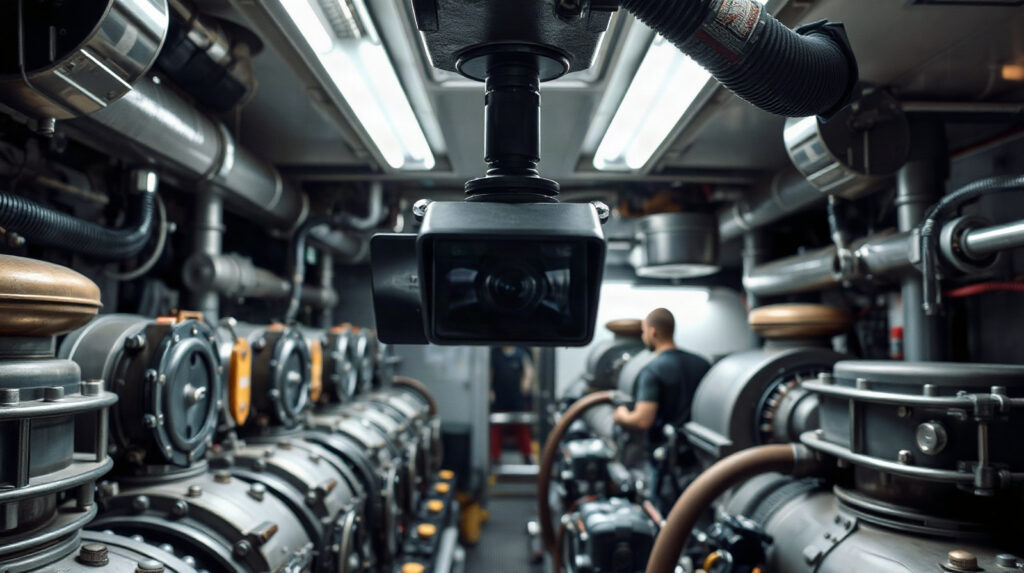
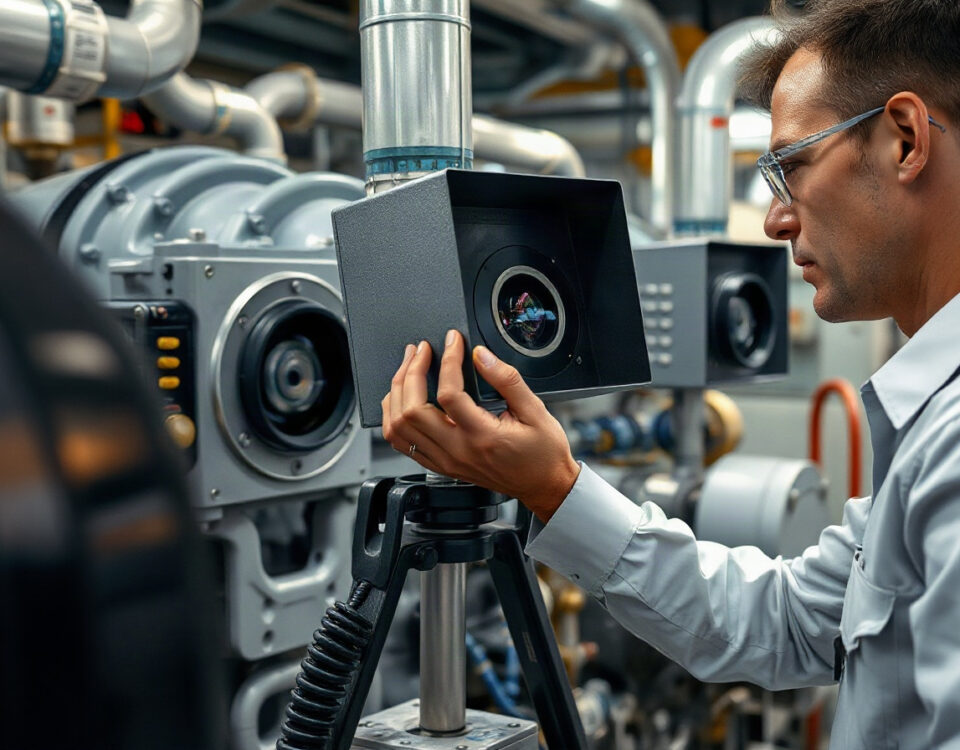
For CCTV lens selection in an engine room, choose the focal-length range from the scene first: use the wide end to cover an access route or machinery bay, and the long end when you need detail from a greater distance. Then confirm that the lens matches the camera’s sensor format, CS mount, physical clearance and iris-control interface. In changing daylight or artificial lighting, a DC auto-iris lens is usually more practical than a fixed manual iris.
Start with the field of view required
Focal length controls the balance between coverage and detail. On the same camera and sensor format, a shorter focal length gives a wider view; a longer focal length gives a narrower view with more useful detail on a distant valve, gauge area or machinery interface.
| Location or task | Useful lens approach | Reason |
|---|---|---|
| Small entrance, ladder landing or passage | Short focal length or fixed wide-angle camera | Maximises coverage where the camera is close to the subject. |
| Engine-room machinery bay | Varifocal lens, adjusted from wide to medium view | Allows the installer to exclude unnecessary bulkheads and frame the equipment. |
| Remote pump, valve group or control area | Longer focal-length setting | Produces a tighter image and makes operating details easier to inspect. |
| Mixed operational area | 2.8–12 mm varifocal | Covers both an overview and a narrower inspection view from one installation point. |
Do not select a lens only because its maximum focal length is higher. A narrow view can omit the approach to the equipment, while an excessively wide view may make a distant alarm indicator or handwheel too small to identify. Mark the proposed camera position, measure the distance to the area of interest and decide whether the priority is coverage, recognition or detail.
Comparing 2.8–12 mm and 3.5–8 mm lenses
The 2.8–12 mm range provides the broadest adjustment. At 2.8 mm it is suited to a relatively wide machinery-space view; at 12 mm it can be set for a much tighter scene. The 3.5–8 mm range is more limited but can be a good fit where the camera is close to the subject and only moderate framing adjustment is required.
| Characteristic | 2.8–12 mm | 3.5–8 mm |
|---|---|---|
| Adjustment range | Wider range, from overview to tighter detail | Moderate range for close or medium-distance scenes |
| Installation benefit | More tolerance if the final camera position changes | Compact, simpler choice when the required view is already known |
| Typical use | Machinery bays, access routes and mixed scenes | Local equipment, compact compartments and close viewpoints |
| Adjustment method | Manual zoom and focus rings | Varifocal adjustment; confirm the individual lens arrangement |
Focal length does not compensate for poor camera placement. A lens cannot see through pipework, cable trays, handrails or condensation on a housing window. Before final tightening, view the live image at both the widest and narrowest settings and check the complete operational area.
Match the lens to the camera
Confirm the image format
The listed varifocal lenses are specified for 1/3-inch cameras. The lens image circle must cover the camera sensor. A lens intended for a smaller format may produce dark corners or vignetting on a larger sensor, while using a larger-format lens on a smaller sensor may reduce the usable field of view. Check the camera manual or nameplate for the sensor format before ordering.
Resolution alone is not enough. A 1/3-inch camera may have an analogue HD or other output, but the lens still has to provide the correct optical coverage and interface. If replacing an existing lens, record the camera model, sensor format, mount, iris type and the existing focal-length range.
Confirm CS mount and clearance
CS mount is a mechanical interface, not a statement about video signal compatibility. Confirm that the camera body accepts a CS-mount lens and that the lens can be physically installed without fouling the housing, sunshield, junction box or nearby structure.
- Isolate the camera supply and follow the vessel’s electrical safety procedure before removing the existing lens.
- Check the camera manual for the permitted mount and any required mount spacer or locking arrangement.
- Inspect the lens thread, rear cap and camera mount for contamination or damage.
- Confirm that the lens barrel, zoom ring and focus ring remain accessible after the housing is closed.
- Check that the final focus can be set at the required scene distance, not only at a nearby workshop target.
Never force a lens onto the camera. If the mount, connector or clearance differs from the installed arrangement, stop and verify the camera documentation rather than modifying the lens or housing.
Choose manual iris or DC auto-iris
The iris controls how much light reaches the sensor. A lower f-number represents a larger maximum aperture and can help in low light, but the camera must still be able to focus and produce an acceptable image at the actual scene illumination. In engine rooms, light can change when doors open, work lights switch, daylight enters through deck openings or bright metal surfaces reflect into the camera.
A DC auto-iris lens has an electrical control lead through which a compatible camera regulates the aperture. This is different from a manual iris lens, where the aperture is adjusted mechanically and remains fixed. Before selecting DC auto-iris, confirm that the camera provides the required DC-drive iris interface and that the lead can be routed without strain inside the housing.
| Condition | Preferred approach | Check before installation |
|---|---|---|
| Stable, controlled lighting | Manual iris may be adequate | Set exposure at the actual operating condition and confirm it remains acceptable. |
| Daylight mixed with artificial lighting | DC auto-iris | Confirm camera compatibility and check for exposure hunting or glare. |
| Bright reflective pipework or metal panels | Auto-iris with correct camera exposure settings | Frame the scene to avoid a dominant bright source and test at different times. |
| Low-light machinery space | Lens with a suitable maximum aperture | Verify image noise, focus stability and the camera’s low-light performance. |
Practical selection procedure
- Define the surveillance task. Write down whether the camera must show a whole compartment, recognise a person at an access point, monitor a valve position or inspect a particular machine area.
- Measure the scene. Record camera-to-subject distance, available mounting height, horizontal coverage required and obstructions likely to enter the image.
- Select the focal-length range. Choose a fixed lens only when the view is well established. Choose a varifocal lens when installation tolerances or the final framing are uncertain.
- Check the sensor format. For the listed lenses, confirm the camera is a 1/3-inch type. Do not assume that a physically similar camera has the same sensor format.
- Check the mount. Confirm CS mount, camera clearance and the ability to lock the zoom and focus adjustments after commissioning.
- Check iris control. For a DC auto-iris lens, verify the camera’s iris-drive compatibility and provide a protected route for the control lead.
- Test at representative lighting. View the scene with normal machinery-space lighting, access doors open and any relevant deck or daylight sources present.
- Record the final setting. Note the selected focal-length position, focus condition and camera location in the maintenance or CCTV configuration record.
Available lens options
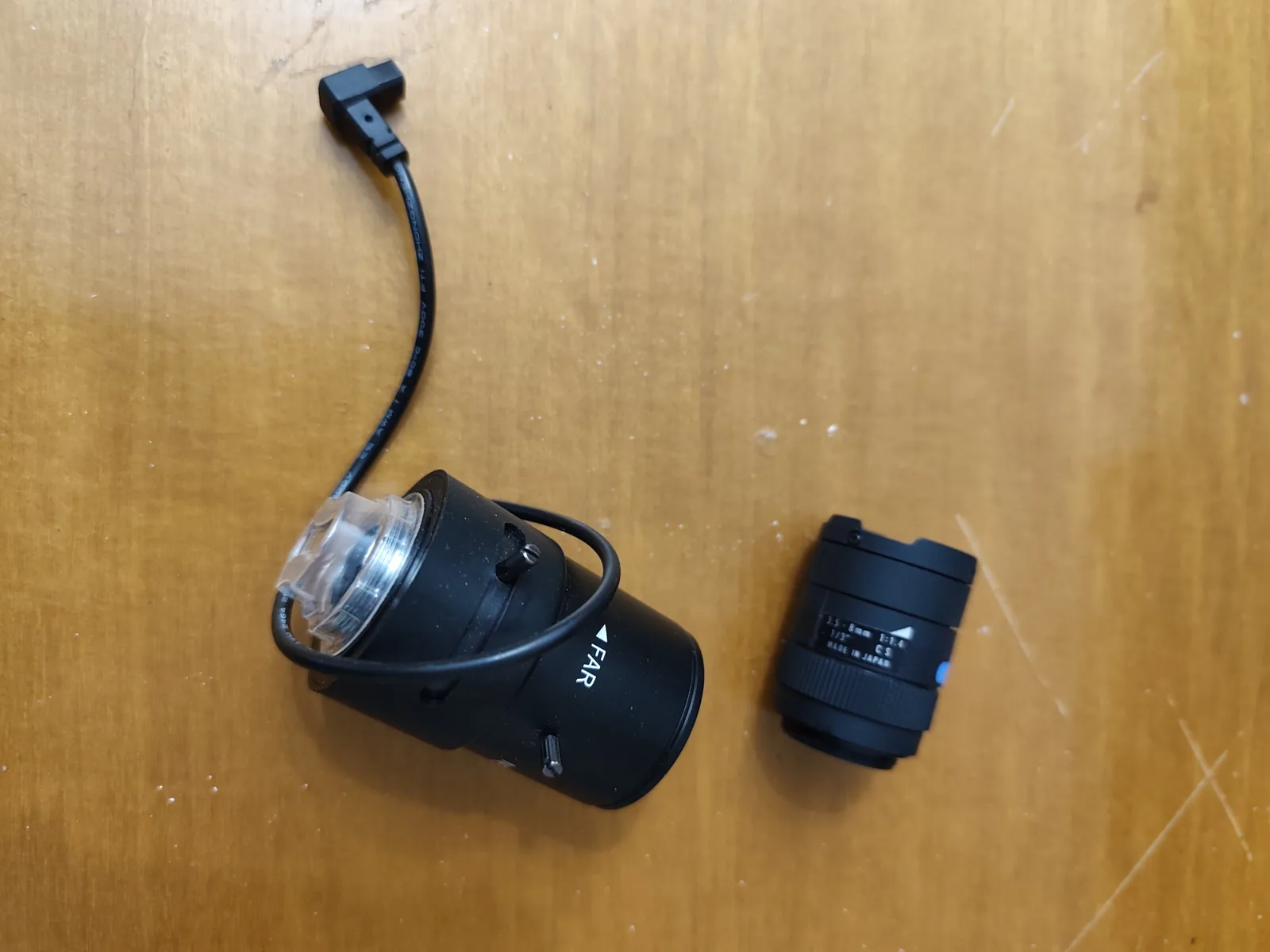
The CCTV Lens Set: 2.8–12 mm F1.2 DC Auto-Iris + 3.5–8 mm F1.4 (1/3", CS Mount) provides two varifocal choices for 1/3-inch CS-mount box cameras. The 2.8–12 mm lens has a DC auto-iris lead, while the 3.5–8 mm lens is a more compact option for a narrower adjustment requirement. The set is unused surplus and supplied without retail boxes, so confirm the camera interface and inspect the items on receipt.
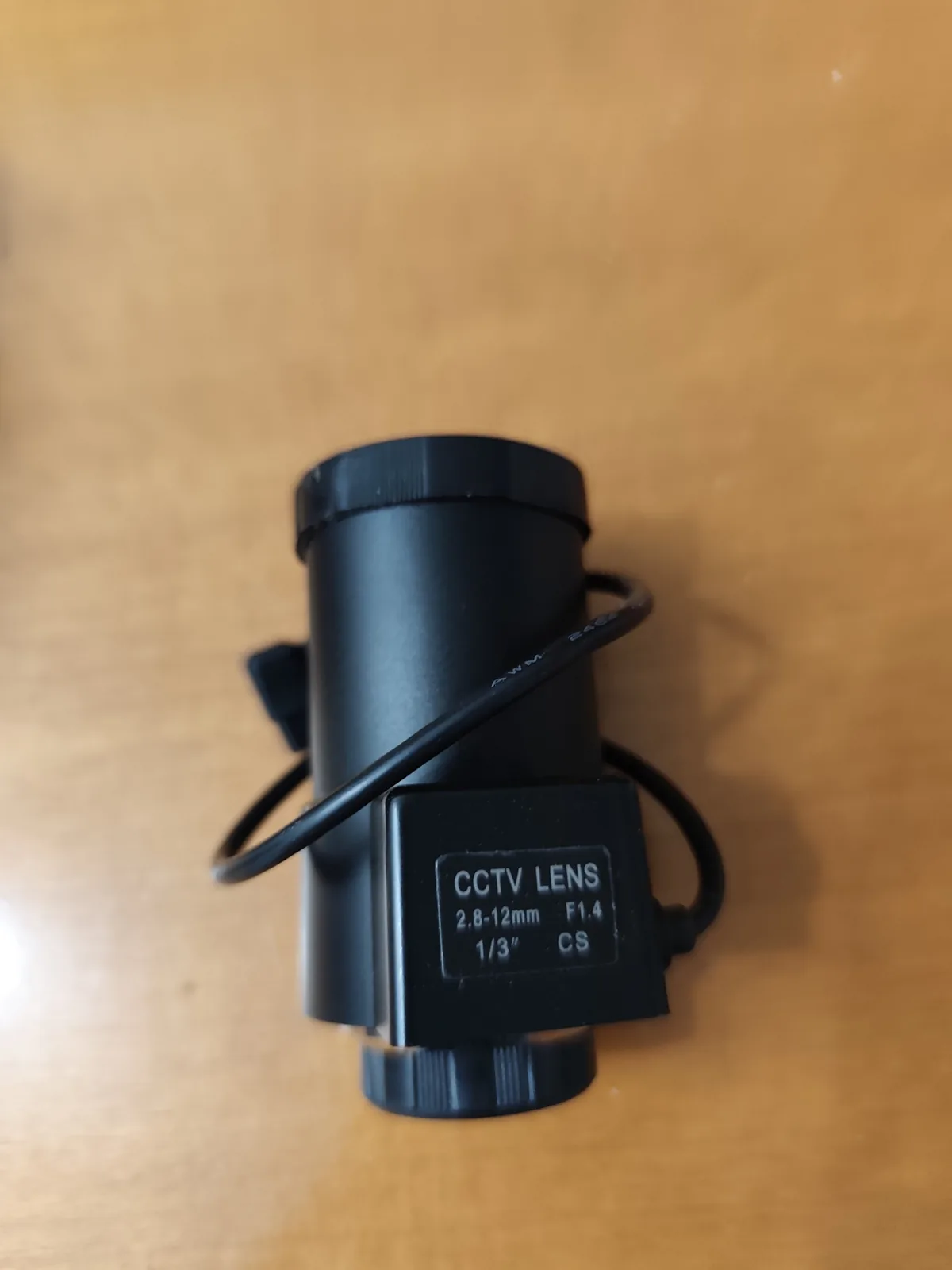
For a single 2.8–12 mm option, the 2.8–12 mm F1.4 Varifocal DC Auto-Iris CCTV Lens, 1/3", CS Mount is specified with manual zoom and focus rings, F1.4 aperture and DC-drive auto-iris. The CCTVSTAR SSV02812GNB 2.8–12 mm F1.4 Varifocal DC Auto-Iris Lens, 1/3", CS Mount has the same stated focal-length range, image format, mount and iris type, but part-number equivalence should not be assumed without the camera or system documentation.
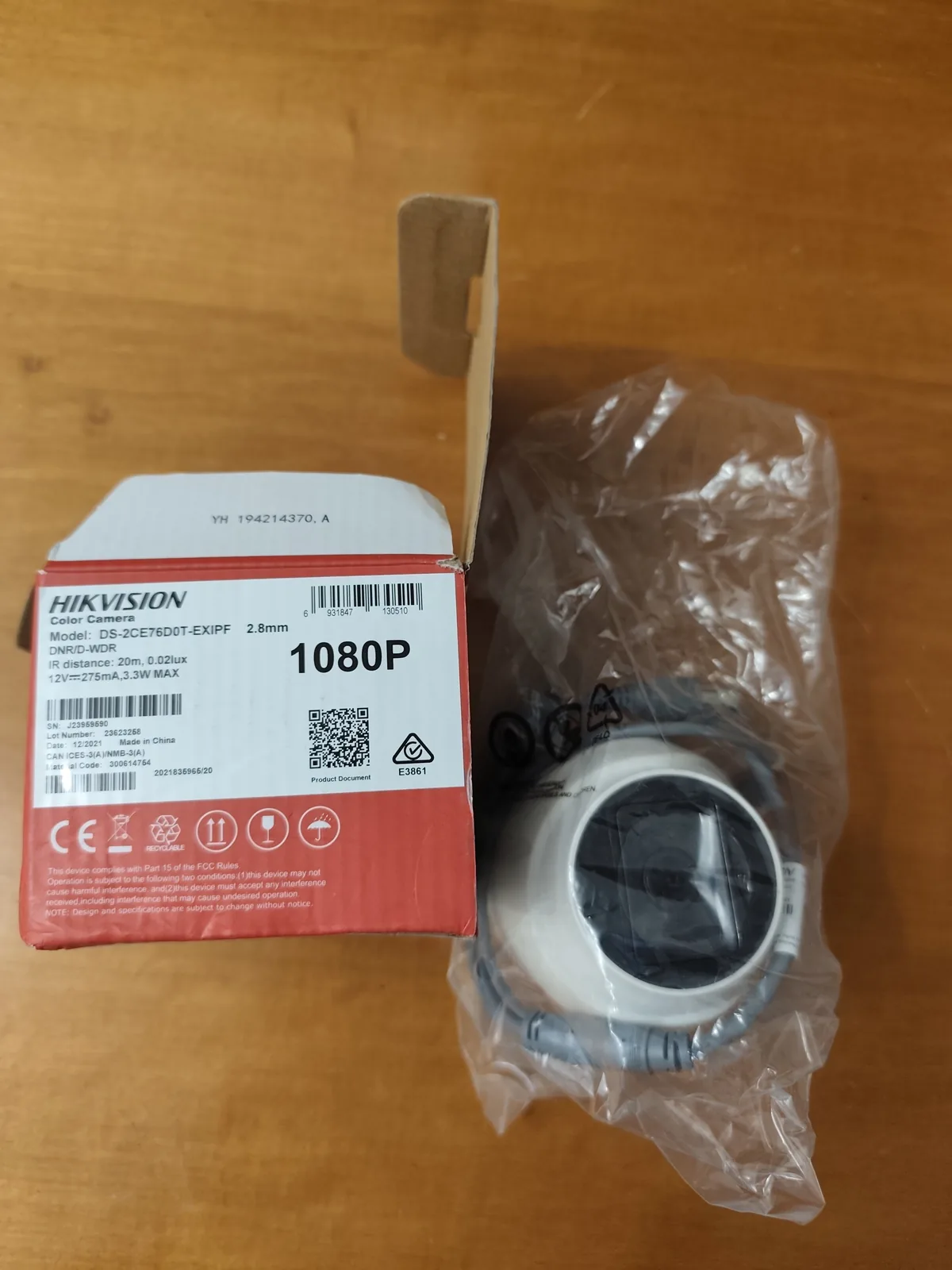
When a complete camera rather than a replacement lens is required, the Hikvision DS-2CE76D0T-EXIPF 2 MP 1080p Turret Camera, 2.8 mm, IR 20 m is a fixed-lens alternative. Its specified 2.8 mm lens cannot provide the framing adjustment of a varifocal box-camera arrangement, so compare the installation field of view before selecting it.
Commissioning checklist
- Camera is isolated during mechanical installation and re-energised only under the approved procedure.
- Lens format, CS mount and camera compatibility have been verified from documentation.
- Lens rear cap has been removed and optical surfaces are clean and undamaged.
- Wide and narrow focal-length settings both show the intended surveillance area.
- Focus is checked after the final zoom setting and with the housing closed.
- DC auto-iris operates correctly through the complete lighting range.
- No glare, condensation, vibration-induced image movement or obstruction compromises the view.
- Final lens setting and camera position are recorded for future maintenance.
For genuine replacement equipment, verify the camera and lens part number against the vessel’s approved equipment list or OEM documentation. Focal length, sensor format, mount and iris type are necessary checks, but they do not by themselves prove interchangeability.
FAQ
Is 2.8–12 mm always better than 3.5–8 mm?
No. The 2.8–12 mm range offers more framing flexibility, while 3.5–8 mm may be sufficient and more compact for a close machinery view. Select from the required scene, not the maximum range alone.
Can any 1/3-inch lens fit any CCTV camera?
No. The camera must also accept the correct mount and iris interface. For a DC auto-iris lens, confirm that the camera supports DC-drive control.
Why use auto-iris in an engine room?
It allows the camera to regulate aperture as lighting changes. This can help maintain usable exposure when daylight, work lights or reflective machinery alter the scene.
Should the lens be focused at the widest or narrowest setting?
Follow the lens and camera instructions. In general, set the final focal-length framing first, then focus on the required subject and verify the result after the housing is closed.